
Nearly everyone uses Google
In SecAtScale’s latest Pulse Survey report, 86.5% of respondents reported using Google Workspace as their email and office apps provider. And 34.1% of respondents reported using Google Workspace as an identity provider.
It’s understandable. Google Workspace (abbreviated as GWS from now on) has great pricing and features. Starting at 6.80€/u/mo, you get access to a best-in-class email service, a fully featured calendar, video calling, an AI assistant, cloud storage and a suite of office applications. The value proposition is simple: it’s cheap, covers all your needs, and all your trendy friends are already using it. You end up using GWS’s IDP, and stay loyal as the organisation grows.
Let’s talk about why that’s an awful idea.
Yet, Google Workspace is still a terrible Identity Provider
For anything beyond basic features, GWS’s IDP does not offer sufficient flexibility for the needs of a modern tech organisation.
No programmatic management of Google Groups
Realistically speaking, you cannot programmatically manage Google Groups.
In GWS-land, you have groups and OUs. Just like printers, OUs are the devil’s way of torturing IT professionals.
OUs are a 1990s innovation. Today, they are just as groundbreaking as a touch screen flip phone — that is to say unwieldy, fragile and doomed to break. Thankfully, we have Google Groups instead.
Organisations use Google Groups to define their org structure. For an organisation larger than a hundred people, it’s advised to automate the management of these groups.
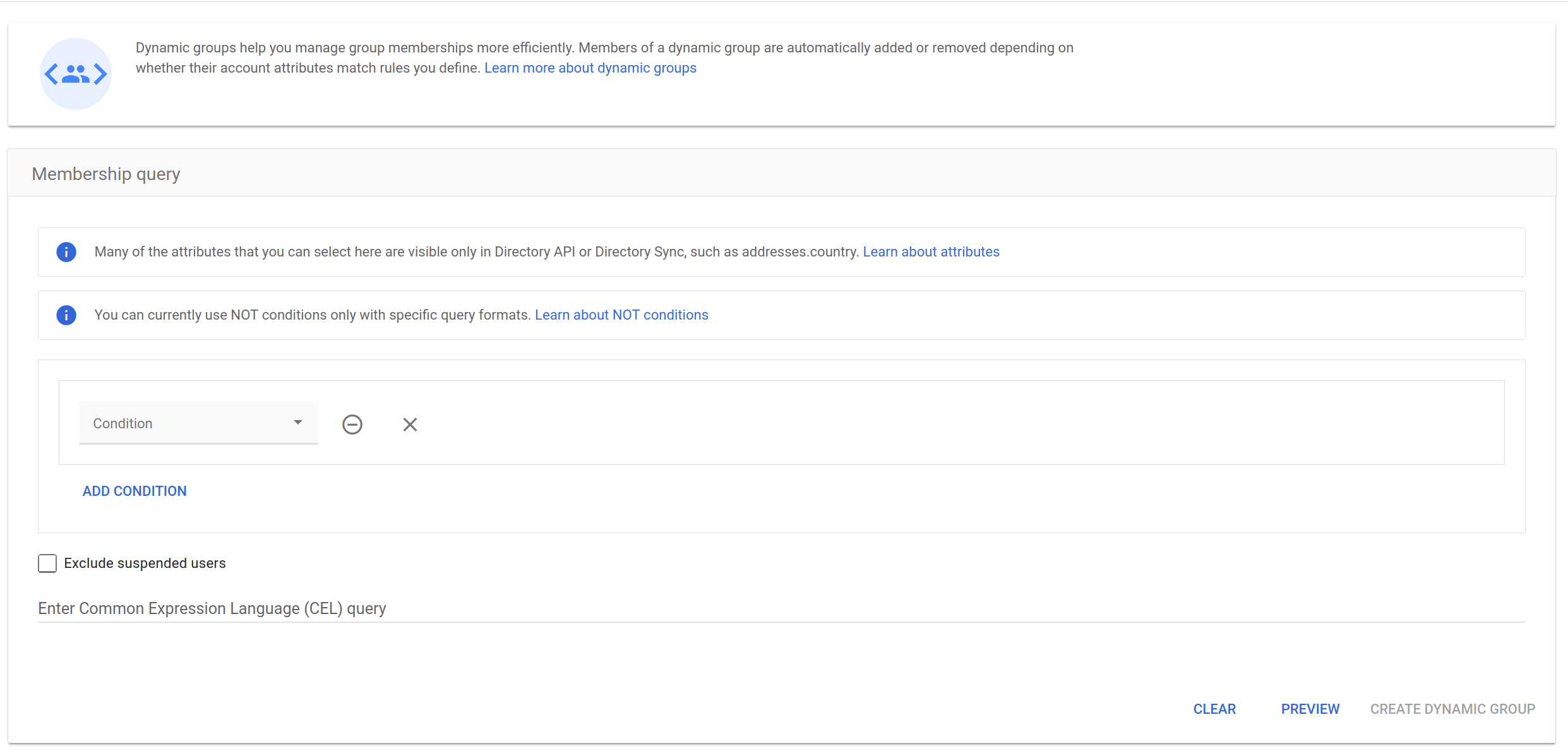
The default GWS approach would be dynamic groups. That only works if you’re paying for a GWS Enterprise or higher, or GWS Frontline or higher. And even then, you can only programmatically create groups based on users’ attributes, not their existing groups. Meaning, you cannot base your permission management solely on groups, you also need to manage user attributes, creating totally unnecessary complexity.
You could instead use Terraform, but the Terraform provider is not maintained, so you’re guaranteed to have issues at some point. I wouldn’t advise using abandonware anyway.
If you’re a carefree, fearless, and willing to faff around endlessly to set it up, there’s a third-party CLI that you could use to administer your GWS, GAM. It’s just a CLI tool though, so you’ll need to write your own automations if you want to programmatically manage groups. It’s unlikely your startup can spare the engineering time to develop and maintain it.
You’ll inevitably end up with multiple sets of manually created groups, most of which are abandoned following the latest reorg. This results in poor auditability and a battered least privilege model.
2FA hell
Now let’s talk about 2FA, or as Google calls it, “2-step verification”, or 2SV. Fortunately, GWS admins can require 2SV for all users. But there’s a catch: it’s impossible to require users to onboard a 2FA method. Allow me to explain.
When users first sign in, they’re prompted to enable 2SV. They can choose to skip it, by providing a backup code. During their next login attempt, they’re blocked by 2SV enforcement. Again, they can use another backup code, and get in. GWS never actually stops them in their tracks and requires users to onboard a 2FA method. So if you send 10 backup codes to new users so they can log in, and you’ve never changed the default session length of 2 weeks, those users can go 20 weeks without onboarding any 2FA method. Good luck explaining that to your compliance auditors.
Simply put, what the 2SV enforcement on GWS does, is disallow logins without 2FA, not force the onboarding of a 2FA method.
More 2FA struggles
On GWS, it is currently impossible to require specific 2FA methods on a per-group basis. Imagine you’ve got a group of users who are highly privileged, and you want them to only log in with a prompt on their phones, well, you can’t. You can either only exclude text/voice 2FA, or only accept Security Keys, on a per OU basis.
Groups is a second rate feature in the GWS ecosystem, compared to OUs. But users have a 1:1 relationship with OUs, so you can’t really reflect the highly chaotic reality of human organisations with OUs. In my opinion, that really damages role-based permissions, because it encourages the usage of individually-attributed permissions to plug the gaps OUs can’t fill.
To make matters even worse, it is currently impossible to require stricter 2SV methods on applications connected to Google Workspace accounts. For example, you use AwesomeApp to manage some critically important data for your business. You’ve set up SAML SSO on AwesomeApp with GWS, for maximum security. GWS does not allow you to require a 2FA check before logging users into AwesomeApp. Okta does, and it even gives you the option to specify what 2FA method you want to mandate.
You’re in luck if you use Google Cloud Platform (GCP), since you can actually mandate additional checks before users log on to GCP. However, you can only do that on a per Organisational Unit (OU) basis, and can only require Password or Security Key reauthentication; nothing else.
It seems to me that Google has simply bolted on some features to appease an enterprise customer, without any holistic approach to their IDP product. It’s terrible.
SCIM? Nope
In a fast-paced tech organisation, no one wants to spend time manually adding and removing users from a bunch of services. You want to automate this process. You want SCIM.
Of course, Google Workspace — checks notes — does not actually support SCIM! They do support user provisioning, but only on some services, and even then, GWS cannot push groups onto those services, making IDP-controlled in-app RBAC impossible. Atlassian, AWS & Keeper support autoprovisioning from Google, but do not support pulling groups. And if you’re using mere standards-compliant services, you’re out of luck, no user provisioning for you.
What to do about this?
As much as it pains me to say it, GWS works fine as an IDP for smaller organisations, with simple needs and no compliance requirements. But the moment you scale past 100 users, need to pass an audit, or want actual control over your identity and access management, you’ll start feeling the pain.
You have 2 realistic options.
Accept the limitations
Embrace manual group management, cross your fingers during audits, and hope your users actually onboard 2FA. This works if you’re not in a regulated industry and your security posture can afford to be “good enough.”
Rip the band-aid off
As soon as you can, migrate away from GWS as your IDP before you’ve accumulated too much technical debt. Keep the business apps if you like them, but use a real IDP for everything else. Yes, you’ll pay for two systems. Yes, you’ll need to sync users between them. And yes, you’ll need someone who’s willing to think about identity and access management, beyond just creating accounts. But, future you will thank present you for not having to coordinate a migration during your Series B fundraise.